
Guitar Mode Finder for iPhone
Type the chords.
Get the mode.
Enter a chord progression and Guitar Mode Finder tells you which scale to play over it — the mode, its parent scale, and every note of it across the neck in all five CAGED shapes.

Free · no ads
No account · no data collected
- Root
- Characteristic
- Pentatonic
- Scale tone

How it works
From the chords you play to the notes you solo with.
A progression in, one scale out — and where to find it on the neck.
-
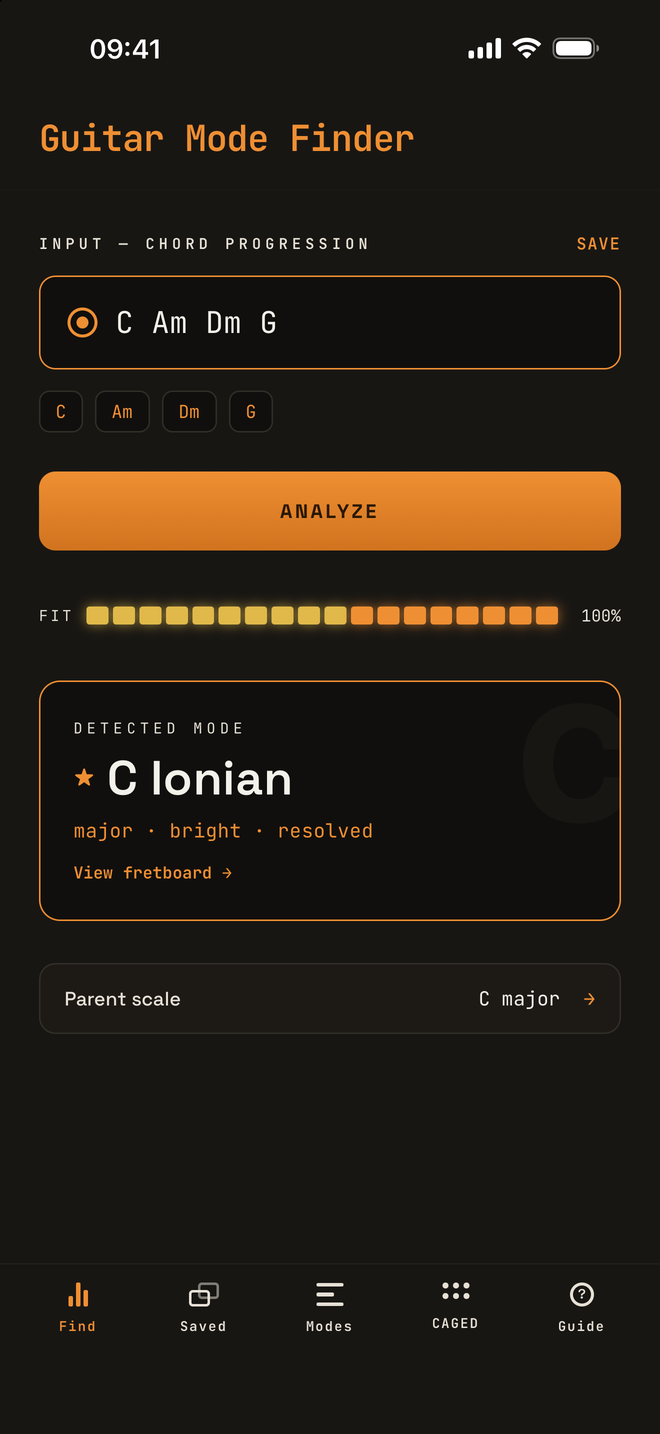
Type the chords
Enter a progression the way you would write it down — Am Dm G C or Cmaj7 Am7 Dm7 G7 — and tap ANALYZE.
You get the mode, a fit meter for how well its scale covers your chords, and the parent major scale it comes from. If the chords move to a new key, each part gets its own mode.
-
See it on the neck
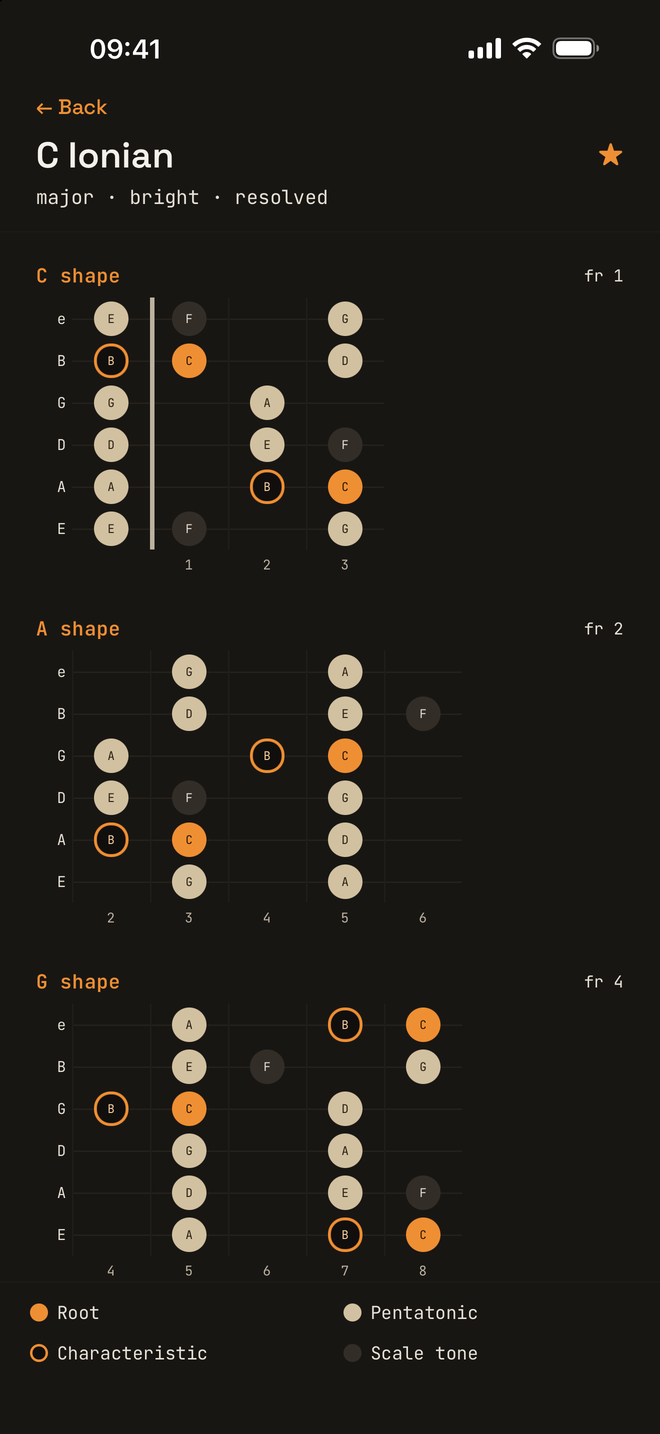
Tap View fretboard and the mode is laid out in all five CAGED shapes, from the first fret up. The root is orange, and the note that gives the mode its sound is ringed, so you know which one to lean on.
The pentatonic notes stand out from the rest, so the box you already know is the way in.
-
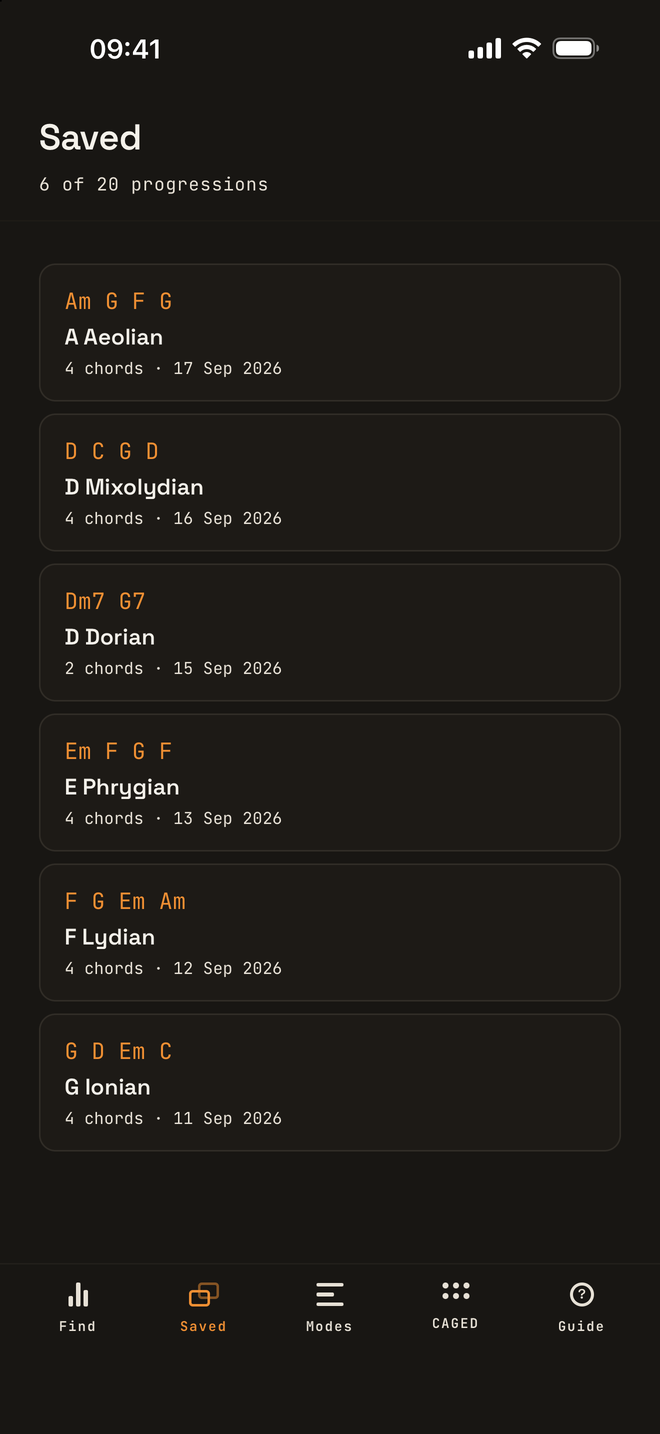
Keep your progressions
SAVE keeps a progression for later, up to twenty of them. Each one shows its mode and the day you saved it. Tap one to analyze it again, and swipe it away when you are done with it.
-
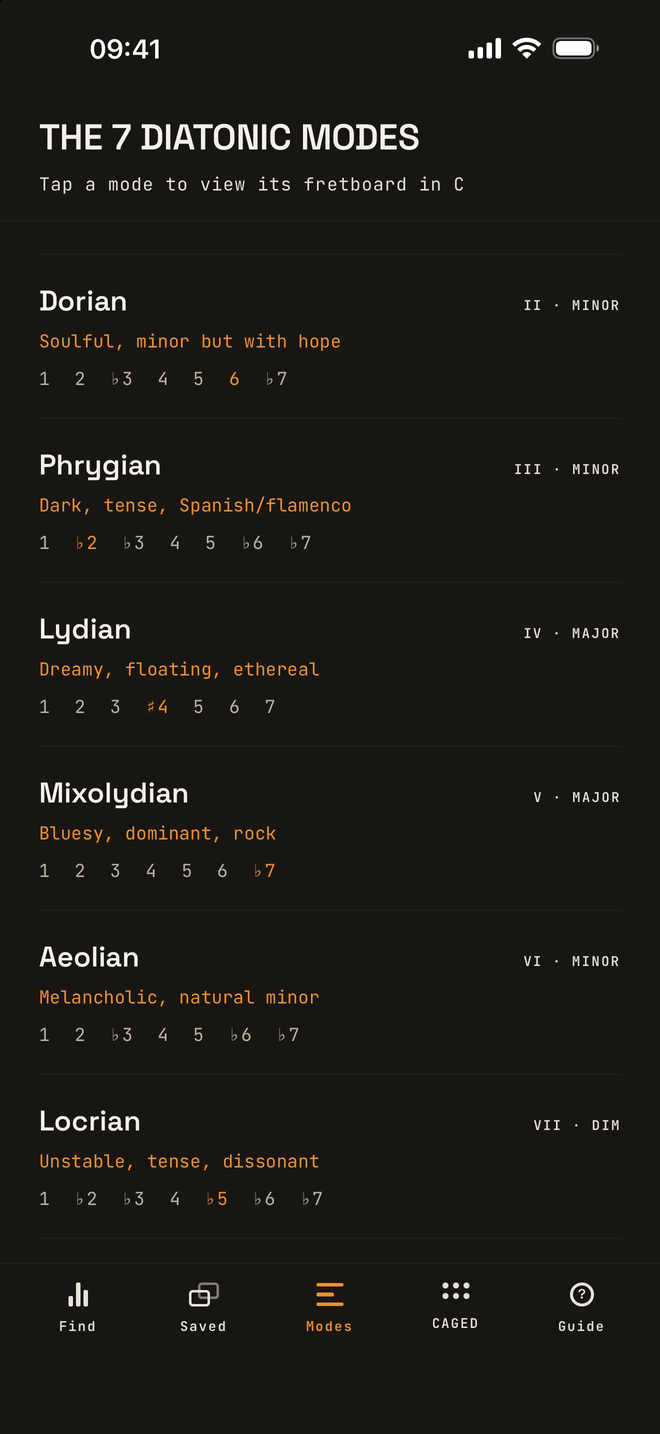
Learn the seven modes
Each mode with its mood, its formula, and the one note that sets it apart from plain major or minor. Tap any of them to see it on the fretboard.
- Dorian ♮6
- Phrygian ♭2
- Lydian ♯4
- Mixolydian ♭7
- Locrian ♭5
-
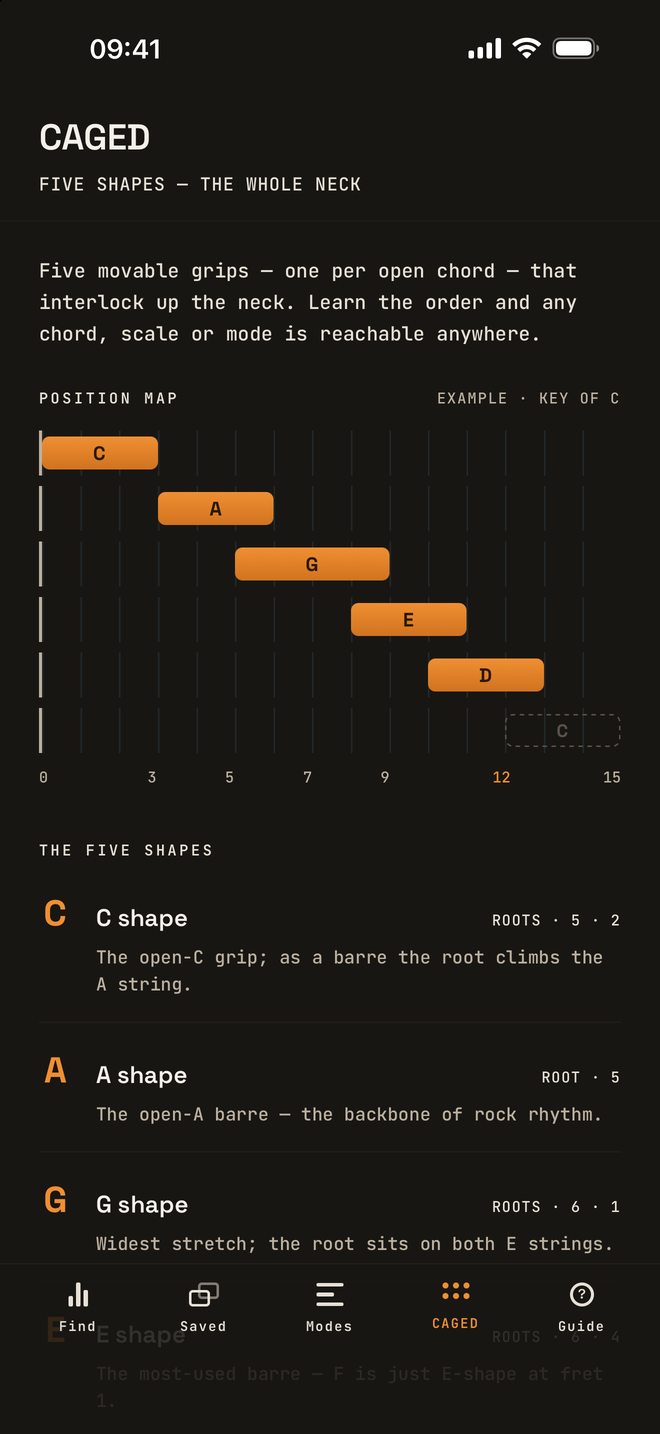
Five shapes, the whole neck
The CAGED map shows how the five shapes interlock up the neck, one per open chord, in the order they come. Learn them once and any chord, scale or mode is within reach anywhere.


What you get
Theory that ends on the fretboard.
-
The mode, with a score
A fit meter shows how well the mode’s scale covers your chords, so a near miss says so.
-
All five CAGED shapes
The mode drawn in every position, with the root, the characteristic note and the pentatonic marked.
-
Reads real chord charts
Sevenths, sus, add9, 6/9 and power chords, and spellings like Amin, A− or CM7. Anything it can’t read is shown, never dropped.
-
Saved progressions
Keep up to twenty and reopen any of them with a tap. They stay on your phone.
-
Works offline
No account, no sign-in, no network. Open it in the practice room or on a train.
-
Private by design
Every analysis is worked out on your phone. Nothing is collected and nothing leaves it.

Get Guitar Mode Finder
Free on the App Store. No ads, no account, nothing to sign up for.
Questions
Finding the mode, answered.
Which chords does it understand?
Major and minor triads, sevenths, ninths and up, sus, add, 6 and 6/9, diminished, augmented and power chords, in the usual spellings: Am, Amin and A- are the same chord. Up to eight chords at a time. Heavily altered chords such as 7♭9 fall outside the seven modes and aren’t read yet — the app lists them rather than skipping them quietly.
What if my song changes key?
When the chords can’t all come from one scale, the app finds the fewest keys that cover them and gives each part its own mode, in order.
How is it different from this website?
The mode guide here lets you look up any mode in any key. The app goes the other way: start from the chords of a song and it tells you which mode they spell.
Does it listen to me play?
No. You type the chords. The app never uses the microphone and never asks for it.
What do I need?
An iPhone with iOS 16.4 or later. There is no account to make, and it works fully offline once it is installed.
What does it cost?
Nothing. It is free on the App Store, with no ads and nothing locked away.
Support
Questions, bugs, ideas.
Write to support@guitarmodefinder.com and it reaches the developer directly. A screenshot helps.
Privacy
The app collects no data at all. Its privacy policy says exactly what is kept on your phone.
The sister app
Guitar Harmony Finder takes a melody you tap on the neck and writes the second guitar part for it, in key and under your hand.